An Astro template that checks itself
Every folder keeps its own rules, docs and agent skills. The lift CLI checks them after each edit, whether you made it or your agent did.
Works with any agent that reads a repository
Lift is plain files: AGENTS.md, skills, briefs and conventions. Names are trademarks of their owners; Lift isn’t affiliated with them.
Agents learn the house rules
Lift keeps context small and close to the code, then checks the result with code.
Skills in layers
Any folder can add to a skill. Reading it for a path loads that folder and the ones above it.
Rules that run
Conventions are code in each folder’s _conventions. lift check runs them after every edit.
Rules as memory
Saw an agent make the same mistake twice? Write a rule. The next agent gets its description along with the error.
Five layers, one shape
Imports point down the layers, and blocks can also build on other blocks. Every component folder has the same files, so anyone can find their way around.
Astro components
Rendered on the server. No JavaScript unless they ask for it.
Instances
An Astro component with a web component inside: lifecycle, methods and a manager.
Vue islands
Hydrated only where they’re used.
A playground for every component
pnpm dev serves every primitive, block, preset and widget. Controls come from the Props types, samples from the folder, and each README shows up under its component.
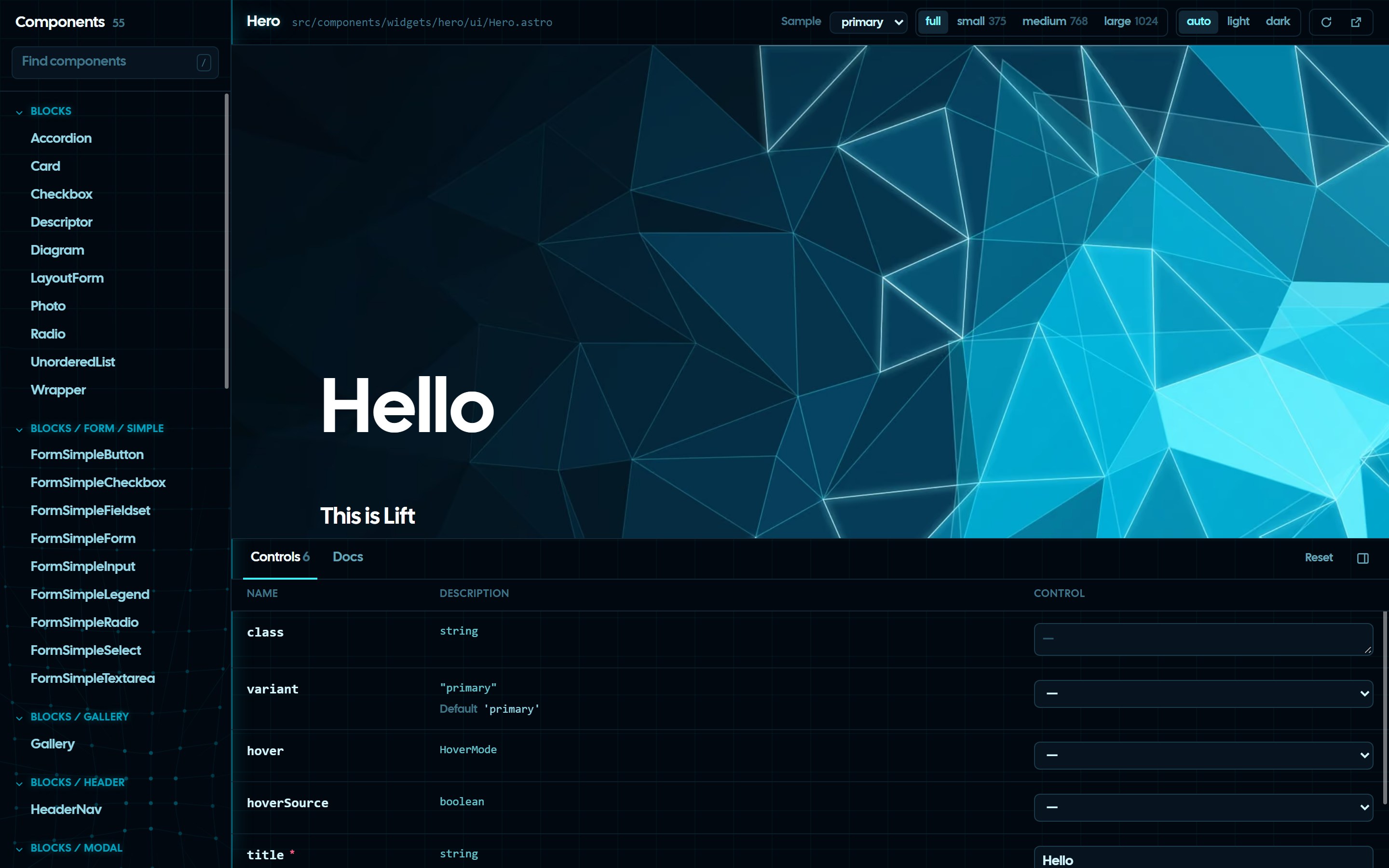
Photo, Icon and Text included
Photo
Name an image once. The build makes AVIF and WebP for every screen and pixel density, and caches them by content hash.
<Photo name="image-hero" alt="" />
Icon
Drop SVGs into a folder and they become one sprite. lift assets icon add checks each file before it lands.
<Icon name="icon-heart" />Text
A type scale is a variant: numbered degrees with a size, font and spacing per screen. Its types are generated, so form only takes degrees that exist.
<Text tag="h2" variant="tertiary" form="700" />| form | small | medium | large |
|---|---|---|---|
| 900 | Lift46px | Lift80px | Lift100px |
| 700 | Lift34px | Lift46px | Lift60px |
| 500 | Lift20px | Lift22px | Lift24px |
| 100 | Lift16px | Lift17px | Lift18px |
Docs from the READMEs
Every README in the repository becomes a page of the docs site. Write it next to the code it explains.
- README.md
- packages/cli/README.md
- src/components/blocks/photo/README.md
- src/components/primitives/text/README.md
- e2e/README.md
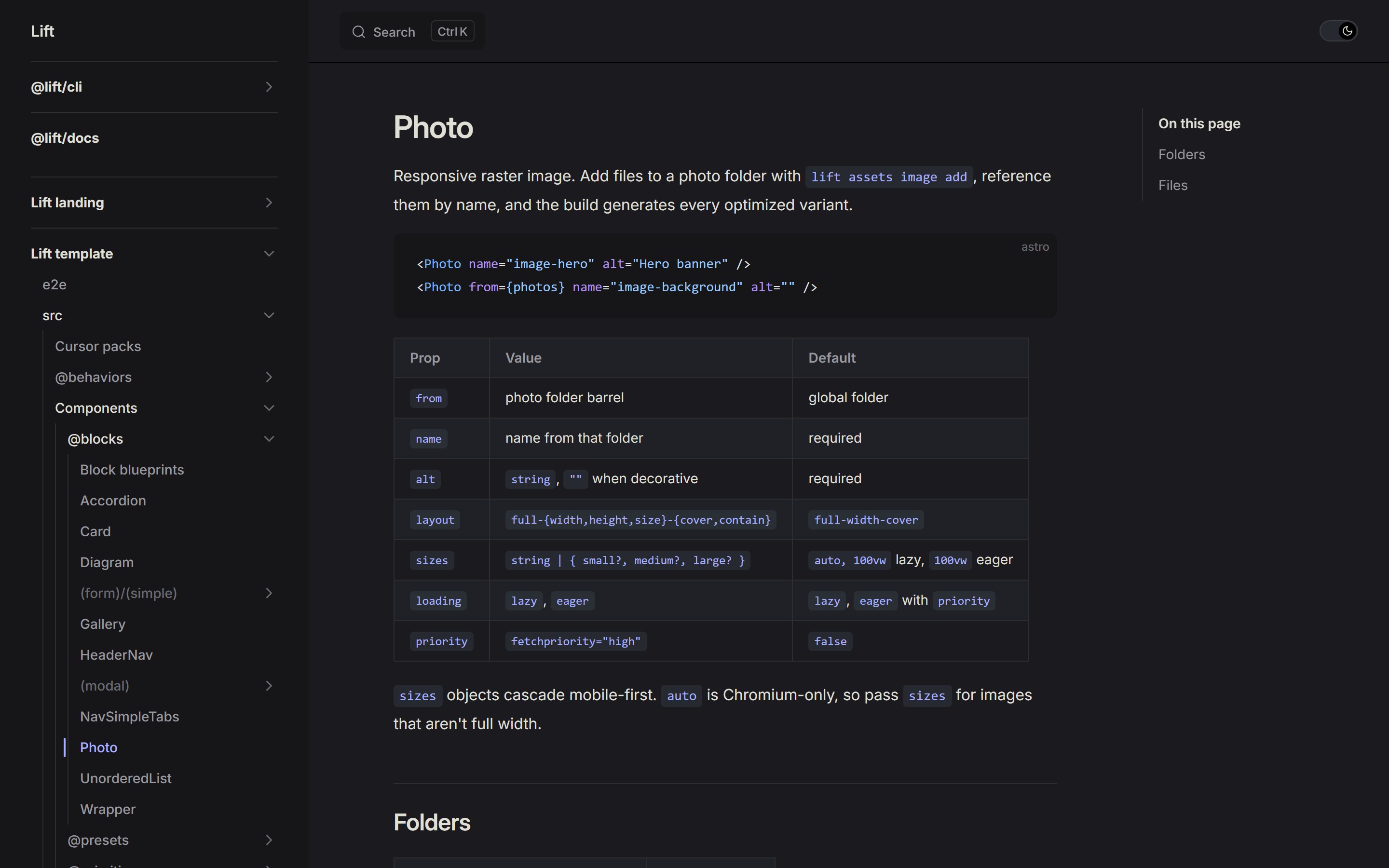
Everything lives in folders
Rules, commands, skills and docs sit in the folder they’re about. Open a folder and you see all of it.
- src/components/primitives/text/
- _conventions/→ lift check
- _commands/sync.ts→ lift components primitives text sync
- _skills/fix-and-assist/→ lift skills read fix-and-assist
- _briefs/intent/→ lift briefs read intent
- README.md→ a page of the docs
Side by side
People and agents change their own folders without stepping on each other.
Shared rules live higher up
A definition sits in the closest folder above everything that uses it.
Fork it. Merge updates.
Git already knows how to share code between projects.
Fork to start
Your fork is your main project. The CLI, the template and the docs come with it.
Merge to update
Upstream changes arrive as a git merge. Small folders make small merges.
History follows the code
lift project create copies a project in two commits, so git blame traces every line to its source.
Checks for healthy projects
One command runs them all on your machine, and CI runs the same one.
- Performance 100lift audit: 95
- Accessibility 100lift audit: 100
- Best practices 100lift audit: 100
- SEO 100lift audit: 100
Below each ring: the same page in lift audit on a development machine.
- Conventions
- Each folder’s own rules.
- Playwright
- Every page loads with no console errors, uncaught exceptions or failed requests.
- Lighthouse
- Scores per page with thresholds you set, on software WebGL like PageSpeed.
- DOM size
- Node counts per page, with warn and fail limits.
- Build output
- Valid HTML and no Sass left in the CSS.
- Format, lint, types
- oxfmt, Prettier, oxlint, stylelint, markdownlint, TypeScript and Vitest.
Start a project
You need Node.js 24 and pnpm. Every project sits next to the template, so it gets the CLI, the docs and every update.